
Collector’s Helper - Coin Lens
Mor Tosbaa MobileFinance
4.2109.00 Reviews
- Version
- 1.6
- Installs
- 100.00K
- Age Rating
- Everyone
Screenshots
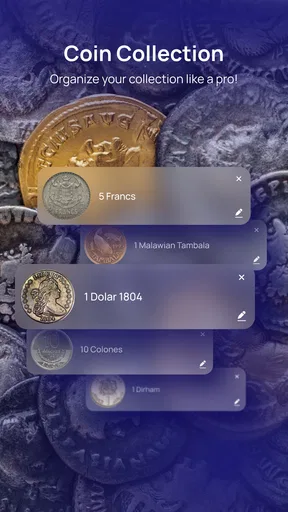
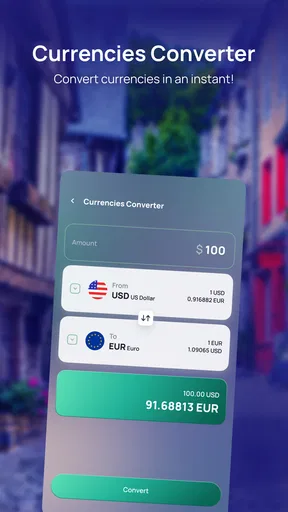

Our Review of Collector’s Helper - Coin Lens
 Analysis by Appyee
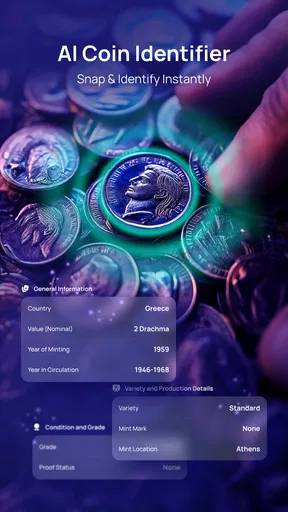
I enjoy coin collecting most when an ordinary find turns into a small research project. A coin pulled from an old drawer, bought at a market, or discovered in a family box can raise several questions at once: Where was it made? What does the writing mean? Is it modern, historic, common, or simply unfamiliar? Collector’s Helper - Coin Lens is built for that first moment of curiosity. It is a free finance app from Mor Tosbaa Mobile that helps identify coins and learn about coins from around the world, with a collector-focused approach rather than the feel of a general banking or budgeting tool.
After spending time with it, I see its strongest role clearly: it is a quick companion for recognition and learning. I would recommend it to someone who regularly encounters unfamiliar coins and wants a convenient starting point before searching through reference books or broad web results. I would not treat it as the final authority for valuation, authenticity, or professional grading. That distinction matters, because identifying a coin and deciding what it is worth are very different jobs.
How Collector’s Helper - Coin Lens feels in everyday use
I find the app most useful as a first step between spotting an unfamiliar coin and knowing what to research next. In this section, I’ll focus on how to make that moment more productive: treating an identification as a clue, not a conclusion, and using the coin’s visible details to check whether the result fits. That naturally leads to the more important question of how much trust to place in any single match.
A quick first step when a coin is unfamiliar
The appeal is simple. Instead of beginning with a long description of a coin’s portrait, script, symbols, and date, I can use the app as the opening step in the investigation. That is especially useful when I am looking at a coin from a country I do not recognize or at a denomination written in an unfamiliar alphabet. The app’s purpose is narrow enough to be understandable immediately, which makes it less intimidating than a large cataloging system designed for experienced collectors.
In practical terms, I would use it while sorting a mixed group of coins. I could separate pieces that look familiar from those that deserve closer attention, then use the unfamiliar examples as learning prompts. That workflow is more useful than randomly searching the internet because it gives the research a starting point. The result is not just a label; it is a way to decide which coins deserve further reading and which are ordinary pieces that can be stored without much additional work.
The app is also approachable for younger users and casual learners. Its content rating is Everyone, so it can fit a family setting where someone is introducing a child to coins from different countries. I like that use case because the activity does not require a large collection or specialist vocabulary. A handful of foreign coins can become a geography and history exercise, while the app provides the visual prompt that keeps the conversation moving.
What I would do before opening it
Good results from any visual coin tool depend on giving it something clear to examine. I would first wipe away loose dust with care, place the coin on a plain surface, and avoid covering the important details with fingers. Even without inventing technical promises about recognition, this is sensible practice: a visible date, portrait, emblem, or edge pattern gives the app more useful information to work with than a dark, cluttered photograph.
I would also inspect both faces of the coin before deciding what the result means. One side may reveal the country while the other shows the denomination or date. If the first attempt leaves me uncertain, I would change the lighting and try again rather than immediately assuming that the coin is rare. This is one of the most important habits for new collectors: use the app to narrow the possibilities, then compare the physical coin with dependable references.
A useful personal workflow is to keep three groups while sorting: coins that are clearly identified, coins that need a second look, and coins that may need specialist help. The middle group is where this app makes the most sense. It can reduce the time spent on obvious pieces while helping me form better questions about the uncertain ones. That is a more realistic benefit than expecting one scan to settle every collecting decision.
Speed expectations and the role of the phone
I think of the experience as a quick lookup rather than an instant replacement for expertise. The app is available for devices running Android 7.0 or later, which gives it a broad potential device range, but that does not mean every phone will feel identical. A newer phone may handle image work more comfortably, while an older compatible model may feel less responsive during repeated checks. The sensible expectation is convenience, not a laboratory-grade identification process completed without any patience.
Perceived speed can also change with the way I work. Checking one carefully prepared coin at a time is likely to feel more manageable than rushing through a pile with poor lighting and inconsistent framing. If the app needs another attempt, the delay is not necessarily a sign of failure; the coin itself may be worn, reflective, partially hidden, or difficult to distinguish from similar examples. I would judge the experience by how quickly it helps me reach a useful next step, not only by whether the first attempt produces a confident answer.
The current version is 1.6, so I would keep the app updated when a newer release becomes available through the normal platform process. That is not a promise that every update will change performance, but staying current is a practical way to avoid judging an older build unnecessarily. For someone using an older phone, I would also close unrelated demanding apps before a long sorting session and keep enough free storage for normal device operation.
Heavy-use moments: where friction is most likely
The most demanding situation is not a single curious check; it is a long session with a large mixed collection. Repeatedly preparing coins, examining both sides, and comparing results can make the process feel slower than the store summary suggests. I would not plan an entire inventory around rapid automated recognition. Instead, I would use it in batches, pause when the phone becomes warm or less responsive, and record useful findings as I go.
That batch approach has another advantage: it reduces confusion. If I test many similar coins without noting which result belongs to which piece, I can easily mix them up. I prefer to place identified coins in separate trays or envelopes and write a short note for uncertain ones. The app then becomes part of a controlled workflow rather than the only memory of what happened. This is a small habit, but it makes the information much more valuable later.
Reflective surfaces can also create a practical challenge. A bright light may reveal details, but glare can hide them at the same time. I would move the light to one side, tilt the coin slightly, and try a second view if the markings disappear. Coins with heavy wear deserve extra caution as well. A partial date or damaged lettering can lead to several plausible matches, so I would treat a confident-looking suggestion as a lead to verify, not as permission to sell or price the coin immediately.
For a family activity, I would keep the session short and purposeful. Ask the child to predict the country or symbol first, then use the app to investigate. That makes the tool part of the learning rather than a button that produces an answer without context. For a collector, the same idea works with a notebook: write down the initial guess, check the result, and note what physical detail confirmed or contradicted it.
Reliability: helpful recognition is not the same as authentication
The app’s rating gives it encouraging public reception, with a 4.2 average from around 1.2 thousand ratings. That makes me more comfortable recommending it as a practical helper, but a rating cannot prove that every identification is correct. Visual recognition is naturally more difficult when coins share similar portraits, when inscriptions are worn, or when a commemorative issue resembles a standard circulation piece.
I would therefore use a confidence ladder. First, ask whether the suggested country and denomination match the visible design. Next, check the date, language, symbols, and approximate physical appearance against a trusted numismatic reference. Finally, if the coin might have meaningful value, ask a knowledgeable dealer or specialist for an independent opinion. The app can save time in the first stage, but it should not replace the second and third stages when money or authenticity is involved.
This is particularly important for inherited collections. Family boxes often contain a mixture of circulation coins, souvenirs, tokens, and pieces from different decades. A quick identification can help organize the group, but it cannot establish condition, rarity, minting errors, or provenance on its own. I would avoid cleaning anything based on an app result. Cleaning can damage a coin’s surface and may reduce its interest to collectors, even when the piece looks brighter afterward.
There is also a difference between learning about a coin and cataloging a collection. Someone who needs purchase records, sale history, insurance documentation, or detailed condition notes may be better served by a dedicated collection-management tool or a spreadsheet. Collector’s Helper - Coin Lens is more attractive at the discovery stage, when I want help understanding what is in front of me. It is less suitable as the only system for managing a serious inventory.
Device constraints and cost considerations
The app is free to install, which makes experimentation easy. That matters for beginners who do not yet know whether coin collecting will become a regular hobby. There are in-app purchases ranging from $4.99 to $29.99 per item, so I would check the purchase screen carefully before committing to anything beyond the basic experience. The free entry point is a strength, but the presence of optional paid items means the overall cost depends on how extensively I use the app.
Because it is compatible with Android 7.0 and later, it can reach users with older devices. Still, compatibility is only the starting point. Camera quality, screen brightness, battery condition, and general phone health can all affect the practical experience. A phone with a scratched lens or a weak battery is not an ideal tool for a long identification session. I would test the app on a few ordinary coins before taking it to a market or using it to sort an entire inherited collection.
Resource demands are best judged by the session rather than by a single opening. A short check should be easier on the device than a prolonged run through dozens of coins, especially on older hardware. I would avoid using it while the phone is already overloaded with navigation, video, or other camera-heavy tasks. Keeping the device cool and giving each image a moment of attention is a better strategy than forcing speed.
Recovery also matters in real use. If the app becomes unresponsive or an identification attempt goes nowhere, I would close and reopen it, then retry with a cleaner view of the coin. I would not assume that an interrupted attempt means the coin is impossible to identify. The more important precaution is to keep independent notes for valuable or historically important pieces, since an app session should not be the sole record of a collection.
Who will get the most from it?
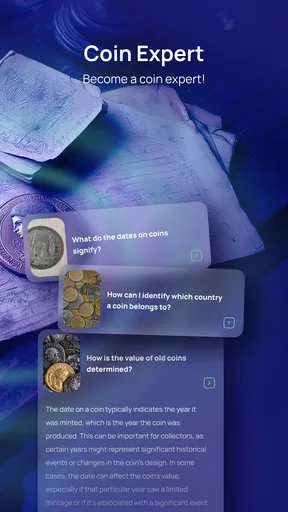
I think it is a good match for casual collectors, families exploring foreign currency, travelers who bring home unfamiliar coins, and beginners sorting a small inherited group. It is also useful for anyone who wants to learn the visual differences between countries and denominations without starting with a thick reference guide. The app lowers the barrier to asking the first question, which is often the hardest part for someone new to the hobby.
It is less convincing for a specialist who already knows the major catalogs and needs precise variety identification. A serious collector may want measurements, edge descriptions, mint marks, die varieties, condition standards, and a structured inventory. Those needs go beyond a convenient recognition tool. I would also skip relying on it when the main goal is estimating a sale price, proving authenticity, or making a high-value purchase decision.
Compared with a web search, the app offers a more focused path from physical coin to possible identity. A search engine can provide deeper material, but only after I choose useful words and describe the coin accurately. Compared with a printed guide, it is more portable and approachable, though a good reference book may offer richer context and side-by-side detail. Compared with a collection database, it is better for discovery than administration. In my view, its best position is between casual searching and serious cataloging.
Three habits that make the app more useful
- Separate recognition from valuation: use the result to learn what a coin may be, then research condition, rarity, and market context elsewhere before assigning a price.
- Retest uncertain pieces under different lighting: glare, worn lettering, and weak contrast can mislead any visual workflow, so a second carefully prepared view is more useful than repeated rushed attempts.
- Build a physical sorting system: keep confirmed, uncertain, and specialist-review coins apart, and write notes while the details are fresh instead of trusting memory after a long session.
- Use the app as a learning prompt: compare the result with the coin’s symbols, script, date, and denomination so each identification teaches a feature rather than becoming a disconnected answer.
These habits reveal the main trade-off. The app can make the beginning of research faster, but it does not remove the need for judgment. In fact, it works best when I use it to become more observant. A result that points me toward a country or denomination is useful; the real collecting skill comes from checking why that result makes sense and noticing where it may not.
My performance verdict
Collector’s Helper - Coin Lens is a focused, approachable finance app with a clear purpose. Mor Tosbaa Mobile has made something that fits naturally into the first stage of coin research: identify a mystery piece, learn a little more, and decide what deserves deeper attention. Its free starting point, Everyone age rating, and broad Android compatibility make it easy for beginners to try, while its public reception of over a thousand ratings suggests that many users find the concept worthwhile.
My recommendation comes with a firm boundary. I would use it for orientation, sorting, and curiosity, not as a substitute for professional authentication or a complete collection record. Older devices may need more patience during extended sessions, and repeated checks of worn or reflective coins can introduce friction. Those are manageable limitations if I work in small batches, prepare the coin carefully, and verify important conclusions independently.
For a friend showing me a box of unfamiliar coins, I would say: install it, try it on the easiest pieces first, and use the results to guide your questions. If you want a friendly starting point for worldwide coin identification and learning, this is a useful collector’s companion. If you need advanced numismatic cataloging, exact valuation, or proof that a rare coin is genuine, choose a specialized reference or expert service instead. That honest division of roles is where the app feels most reliable and most valuable.
Verdict
Strengths of Collector’s Helper - Coin Lens
- Quickly identifies many common coins using your phone’s camera.
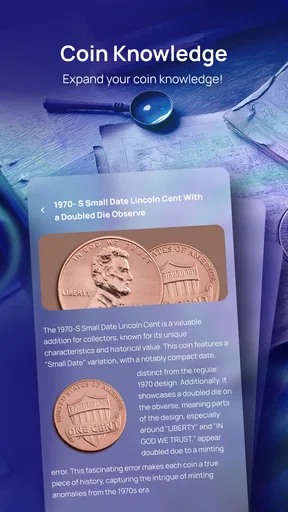
- Helpful reference details for collectors of different experience levels.
- Simple interface makes scanning easy to learn.
- Useful for checking a coin before researching it further.
- Portable tool that keeps basic collecting information on hand.
Limitations of Collector’s Helper - Coin Lens
- Recognition may struggle with worn, damaged, or poorly lit coins.
- Results should be verified before making buying or selling decisions.
- Rare or regional coins may not be supported accurately.
- Camera permissions are required for the scanning features.
- Some features or information may depend on in-app purchases.
Other Releases by Mor Tosbaa Mobile
View All
Radar GO-X: HUD, GPS, Maps
Auto & Vehicles4.1

CarSole: Car Dashboard
Personalization4.4
Similar Picks in This Category
View All
Google Wallet
Google LLC4.3

Airtel: Recharge, Bank & Loans
Airtel4.0

PayPal - Pay, Send, Save
PayPal Mobile4.2

DANA Indonesia Digital Wallet
PT Espay Debit Indonesia Koe4.5

Binance: Buy Bitcoin & Crypto
Binance Inc.4.8

Cash App
Block, Inc.4.7
Frequently Asked Questions
What is Collector’s Helper - Coin Lens used for?
Collector’s Helper - Coin Lens is designed to help users examine and organize coin collections using their phone. It can assist with identifying coins from photographs, reviewing visible details, and keeping useful information about individual pieces. It is especially convenient for beginners who want a quick starting point before researching a coin through catalogs, collector communities, or professional references.
How accurate is the coin identification feature?
The identification feature can be useful, but its results should be treated as suggestions rather than guaranteed expert conclusions. Accuracy may depend on lighting, camera focus, image quality, the coin’s condition, and how common the design is. Rare, damaged, heavily worn, or unusual coins may be misidentified, so important findings should always be verified with trusted numismatic sources or a qualified specialist.
Can Collector’s Helper - Coin Lens determine the value of my coins?
The app may provide information that helps you understand a coin’s possible identity and collecting context, but users should not assume that an estimated value is a confirmed market price. Coin value depends on authenticity, grade, rarity, demand, mint errors, provenance, and current sales. Before buying, selling, or insuring a valuable coin, compare recent auction results and seek professional advice.
What kind of photos produce the best results?
For the most useful results, photograph both sides of the coin in bright, even lighting without strong reflections or shadows. Keep the lens clean, place the coin on a simple background, and make sure the entire design is visible and sharply focused. Avoid blurry images, extreme angles, and filters. Capturing dates, mint marks, lettering, and unusual details clearly can improve identification.
Is Collector’s Helper - Coin Lens suitable for beginners and experienced collectors?
The app is likely to be most helpful for beginners, casual collectors, and anyone who wants a convenient way to inspect coins while organizing a collection. Experienced numismatists may appreciate it as a quick reference or research aid, but it should not replace specialized catalogs, grading knowledge, or professional authentication. Its usefulness ultimately depends on the quality of the available information and image analysis.
